 The Advocate Diary
Team members
Bring juniors, clerks and co-counsel into your firm's workspace.
Your juniors and clerks should not have to ask you for the next date. Add team members, organise them into groups, and share access to just the cases they work on.
In most chambers, case information travels through phone calls, WhatsApp messages and one person's diary. A shared diary gives everyone the same information without relying on one person being available.
Access follows the work. Admins see the firm's cases, while team members work on what is shared with or assigned to them. Groups, such as Civil or Criminal, make it easy to organise this.
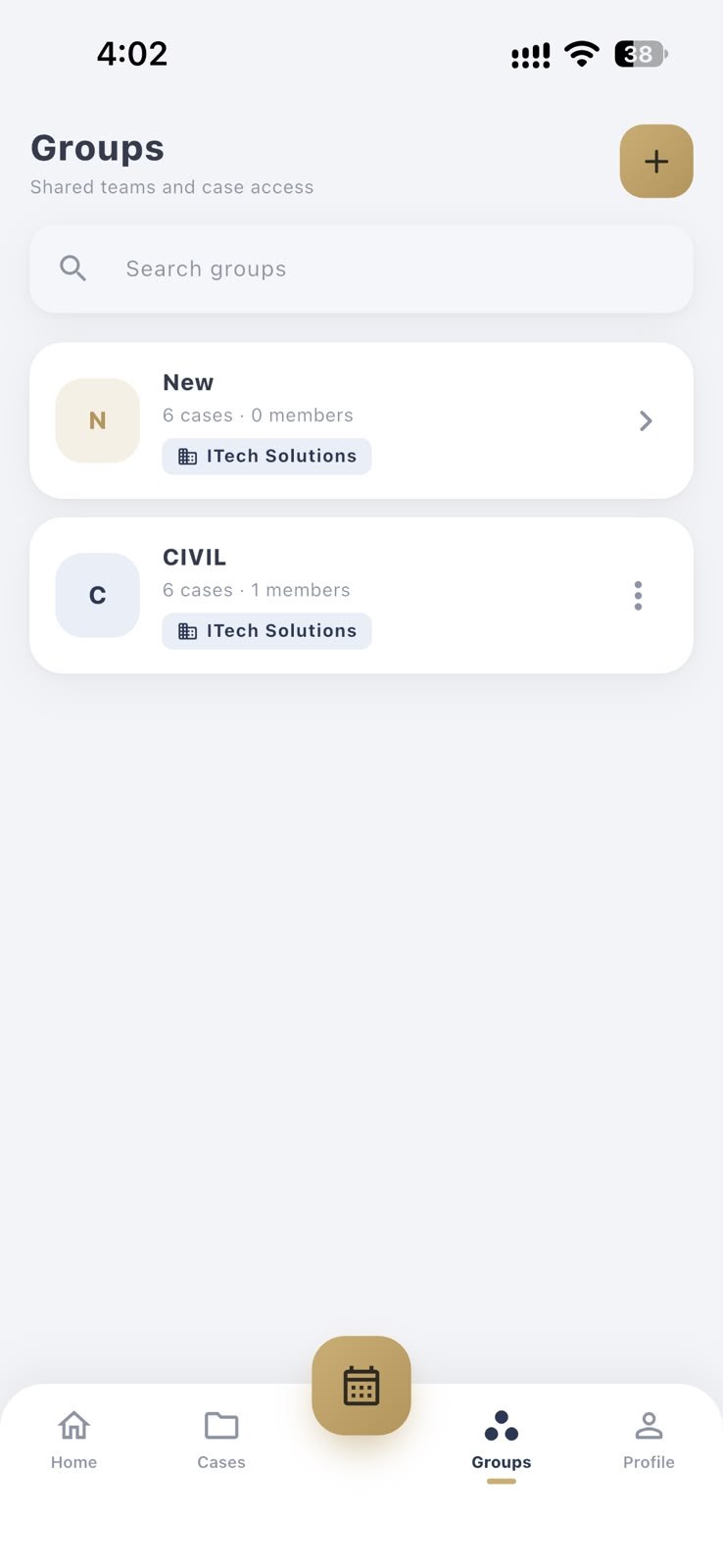
Bring juniors, clerks and co-counsel into your firm's workspace.
Group people and cases by practice area or team, and search your groups by name.
Give people access to the cases they need, and not to everything else.
Add members to your firm from the Team section.
Set up groups such as Civil or Criminal and add cases to them.
Everyone with access works from the same case information.
Yes. Add them to your team and share access to the relevant case.
Not unless you allow it. Team members work with the cases assigned or shared with them, while admins can see across the firm.
No. Fee records are private to the advocate who owns them, even within the same firm.
Groups let you organise shared teams and case access, for example by practice area.
Keep separate firms in separate workspaces, and switch between them from your profile.
Record fees, payments, discounts and pending balances in a fee book that only you can see.
See only your matters for the day, in one daily agenda you can check before leaving for court.
Track drafting, filing and client follow-ups next to your cases and hearings.
Free to download for Android and iPhone.