 The Advocate Diary
Quick to add
Add tasks from the Tasks quick action on your home screen.
Between one date and the next, there is work to do: a reply to draft, a certified copy to collect, a client to call. Keep it all in the same app as your diary.
Hearings are fixed in the calendar, but much of the work around them lives in an advocate's head. Writing that work down as tasks makes it far less likely that something is forgotten before a date.
Tasks are one tap away from the home screen, so adding one takes no longer than writing it on a slip of paper.
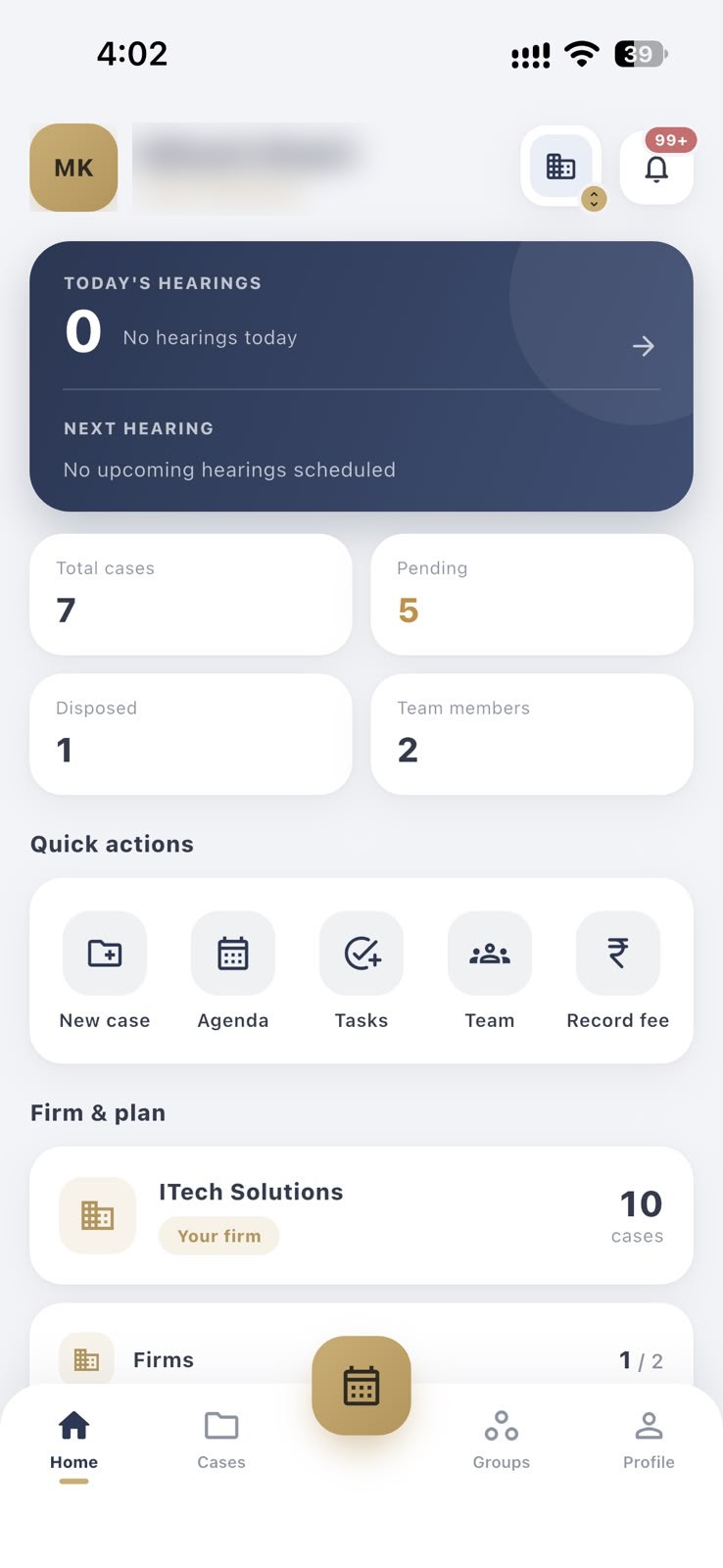
Add tasks from the Tasks quick action on your home screen.
Keep your follow-ups in the same place as your hearings.
Use tasks for drafting, filing, client calls, and collecting copies.
Tap Tasks on your home screen and write down what is needed.
Check your task list as part of your day.
Close each task as you finish it.
Tap Tasks in the home screen's quick actions, or open Tasks from your profile.
Anything that has to be done outside the hearing itself, such as drafting, filing, calling a client or collecting a certified copy.
The app's notifications cover tasks as well as hearing dates and diary updates.
No. Hearings are your court dates on the calendar. Tasks are the work you need to do around them.
Hearing dates, tasks and diary updates in one place, with push alerts on your phone.
Daily and weekly notifications about upcoming hearings, so a date never takes you by surprise.
Add juniors and co-counsel, create groups, and share only the cases each person works on.
Keep case-wise notes, hearing remarks and plaintiff, defendant and respondent details with each matter.
Free to download for Android and iPhone.